

DStv Lost Signal: Causes and Fixes
DStv Lost Signal Fixing for both communal and residential. Experiencing a lost signal on your DStv can be frustrating, especially when you're ready to unwind with your favorite show or sports event. Fortunately, there are several common causes of this issue, along with straightforward solutions to get your signal back.
Common Causes of DStv Signal Loss
- Weather Conditions: Heavy rain, thunderstorms, or strong winds can obstruct satellite signals. The dish may be misaligned, or the signal may be weakened due to adverse weather conditions.
- Dish Misalignment: Over time, your satellite dish can lose its alignment due to wind or other external factors. Even a slight shift can impact signal quality.
- Obstructions: Objects such as trees, buildings, or other structures can block the signal path between the satellite dish and the satellite in orbit.
- Cable Issues: Damaged or frayed cables can disrupt the signal transmission from the dish to your decoder. Additionally, loose connections can lead to signal loss.
- Decoder Issues: Sometimes, the problem lies within the decoder itself. Software updates or hardware malfunctions may cause a loss of signal.
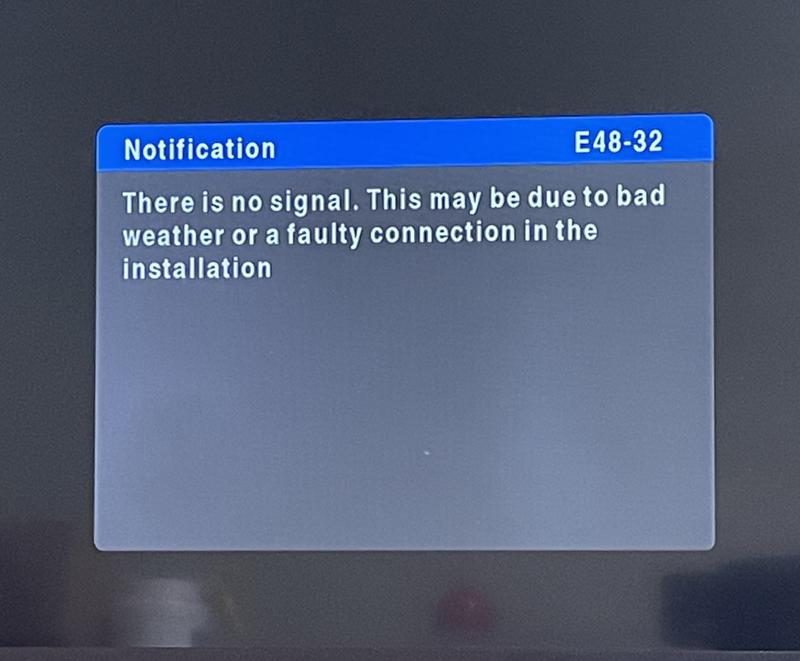
DStv Lost Signal Fixing Steps
- Check Weather Conditions: If the weather is inclement, wait for it to clear up. Signal loss due to heavy rain usually resolves itself once the weather improves.
- Inspect the Dish Alignment: Use a compass to check if the dish is aligned correctly. The dish should point towards the satellite. If it's off, you may need to adjust its position carefully.
- Clear Obstructions: Inspect the area around your dish. If trees or other structures are obstructing the signal, consider trimming trees or relocating the dish to a more unobstructed location.
- Examine Cables and Connections: Check all cables for damage. Ensure they are securely connected to both the dish and the decoder. Replace any frayed or damaged cables.
- Reset Your Decoder: Sometimes, a simple reset can solve the issue. Turn off your decoder, unplug it for a few minutes, and then reconnect and power it back on.
- Software Updates: Ensure your decoder has the latest software updates. Navigate to the settings menu to check for updates and install them if available.
- Contact DStv Support: If you’ve tried all the above steps and still have no signal, it may be time to contact DStv customer support. They can provide additional troubleshooting or schedule a technician visit.
Preventative Measures For DStv Lost Signal
- Regular Maintenance: Schedule regular checks on your dish and connections to ensure everything is in good condition.
- Install a Surge Protector: This can help protect your equipment from electrical surges that may affect your decoder.
- Monitor Weather Alerts: Be aware of weather forecasts that could impact your signal, and take precautions if necessary.
By identifying the cause of your DStv signal loss and following these steps, you can quickly restore your viewing experience. Enjoy uninterrupted entertainment with these simple fixes!